Showcase your Metadata
Objective: Focus your view on the metadata that matters
Be in control and expose as much or as little metadata as you like within the main Preview Window or the Fields Panel.
 Preview Window
If you’re a visual person who likes to see your assets and metadata in one place, you can select which metadata properties you want to view in the main preview window.
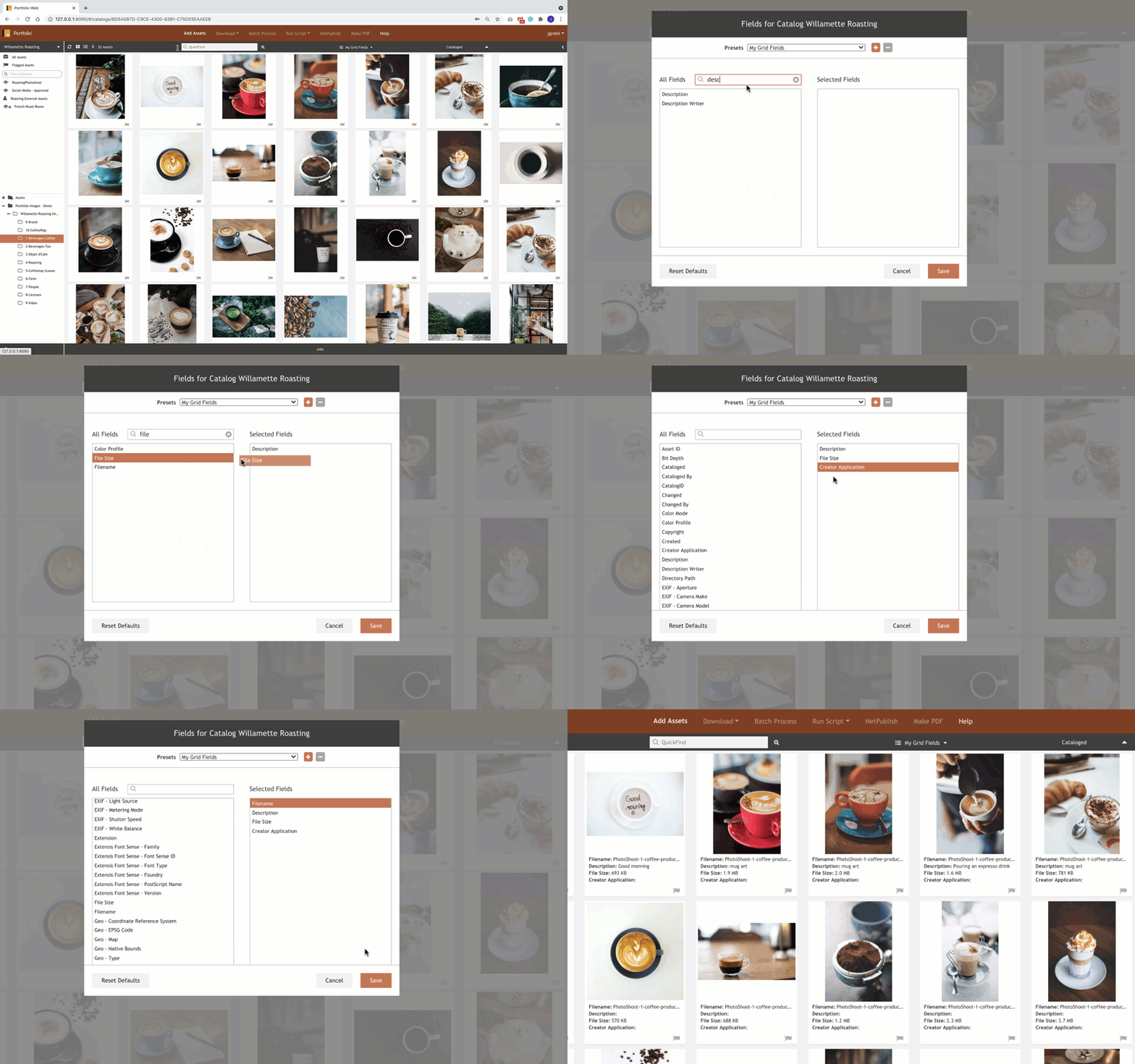
To Adjust Preview Window Metadata:
- Choose Grid View or ListView as a preview option
- Select the MyGrid Fields dropdown menu
- Select Edit Fields
- Drag any new property you want to display from All fields over to selected fields.
- Select Save
 Fields Panel
If having the metadata displayed in the Preview Window isn’t visually appealing to you, display the metadata properties you need with the Fields Panel.
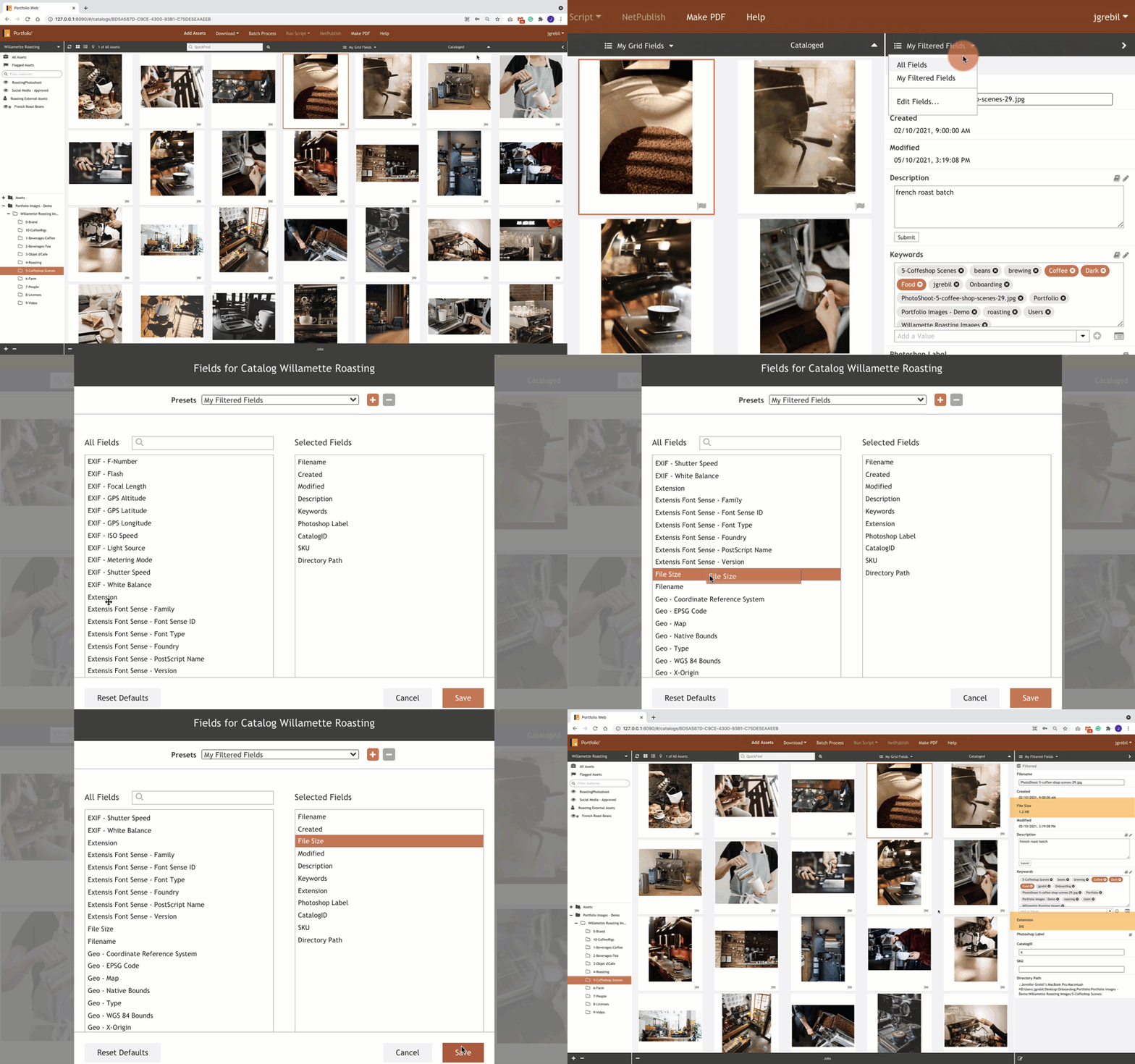
To adjust Fields Panel Metadata:
- Select the caret to expose the fields menu
- Click on My Filtered Fields to display the dropdown menu
- Click on Edit Fields
- Drag your desired field from the All-Fields column to the Selected Fields column, or remove fields you don’t want and drag up and down to rearrange.
- Select Save
Note: If your team needs to add metadata fields unique to your business(i.e SKU, part numbers, etc), your Portfolio Administrator will need to add these fields within the Portfolio Server Administration.