Related Articles
Showcase your Metadata
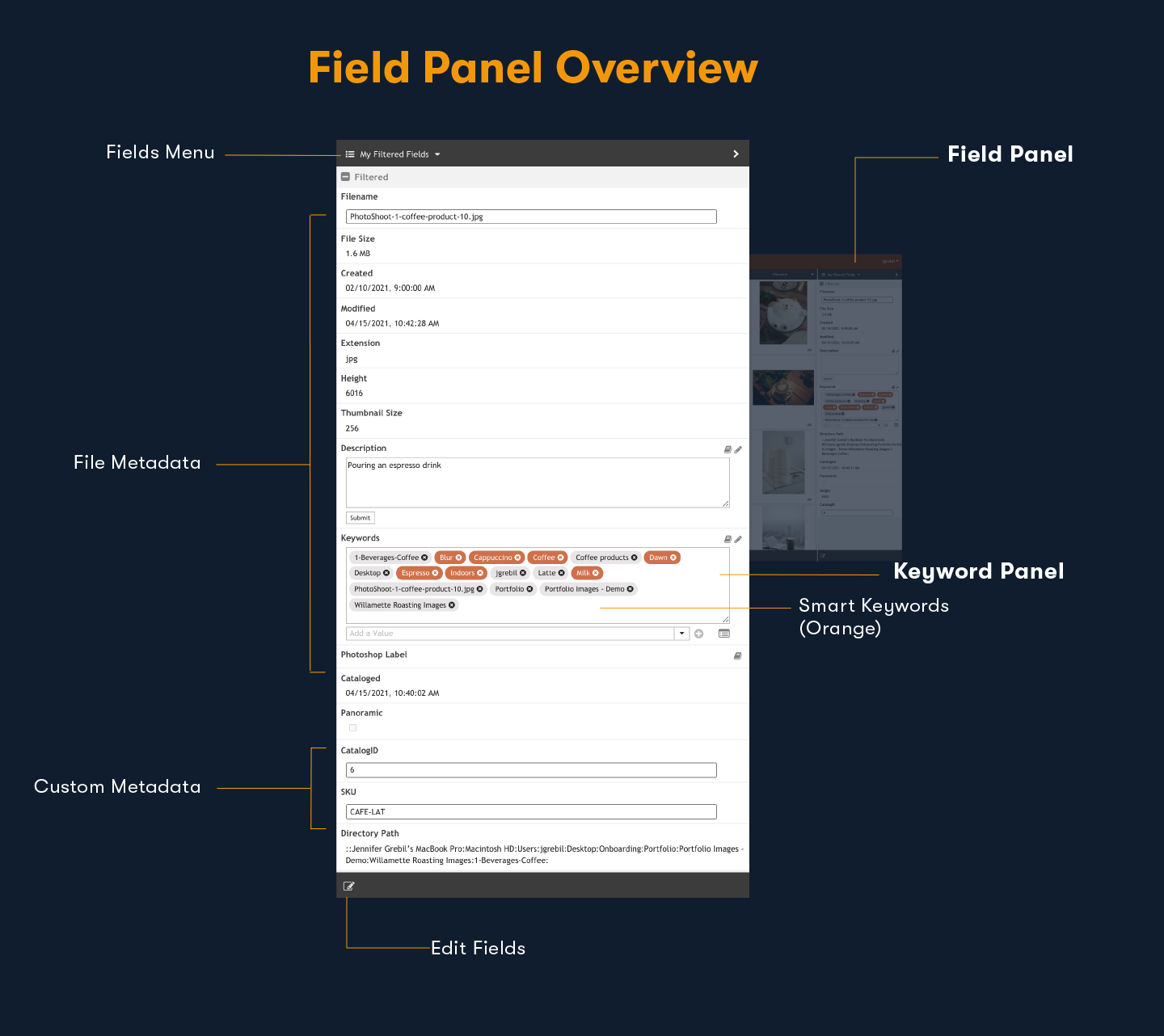
Objective: Focus your view on the metadata that matters Be in control and expose as much or as little metadata as you like within the main Preview Window or the Fields Panel. Preview Window If you’re a visual person who likes to see your assets and ...
Configure Metadata to Support Your Workflow
Objective: Let Portfolio support your organization by creating custom metadata fields Portfolio supports hundreds of standard metadata fields, including EXIF, IPTC, Movie, MS Office, Geo, and XMP. You can also create custom metadata fields pertinent ...
Advanced Searching
Objective: Find that needle in the haystack Now you’ve learned about tagging assets with metadata, take searching and finding your assets to the next level with advanced searching. Advanced Find For power searches, you can string together multiple ...
Enhance your Assets
Objective: Make assets easy to find by adding keywords There are multiple ways to add metadata to assets within Portfolio. First, when you add a new asset, Portfolio automatically draws out metadata in the asset such as filename, file size, IPTC and ...
Field Not Configured to Embed Metadata / Forcing Embedding After Ingestion
Overview When a metadata field in Portfolio is not configured for embedding, changes to that field are stored in the Portfolio catalog only and are not written into the asset file itself. This article explains how to configure fields for embedding ...