Enhance your Assets

Enhance your Assets

Objective: Make assets easy to find by adding keywords

There are multiple ways to add metadata to assets within Portfolio. First, when you add a new asset, Portfolio automatically draws out metadata in the asset such as filename, file size, IPTC and EXIF metadata, GPS location fields, etc., and brings it into Portfolio.

Second, smart keywords powered by artificial intelligence are automatically created when the asset is added to Portfolio. Smart keywords intuitively identify and sorts your files by adding keywords based on what is in the asset.

Third, add custom keywords to assets on a single file or in bulk. Keywords applied to any asset can be used to make your assets findable when searching.


Add Custom Tags and Keywords
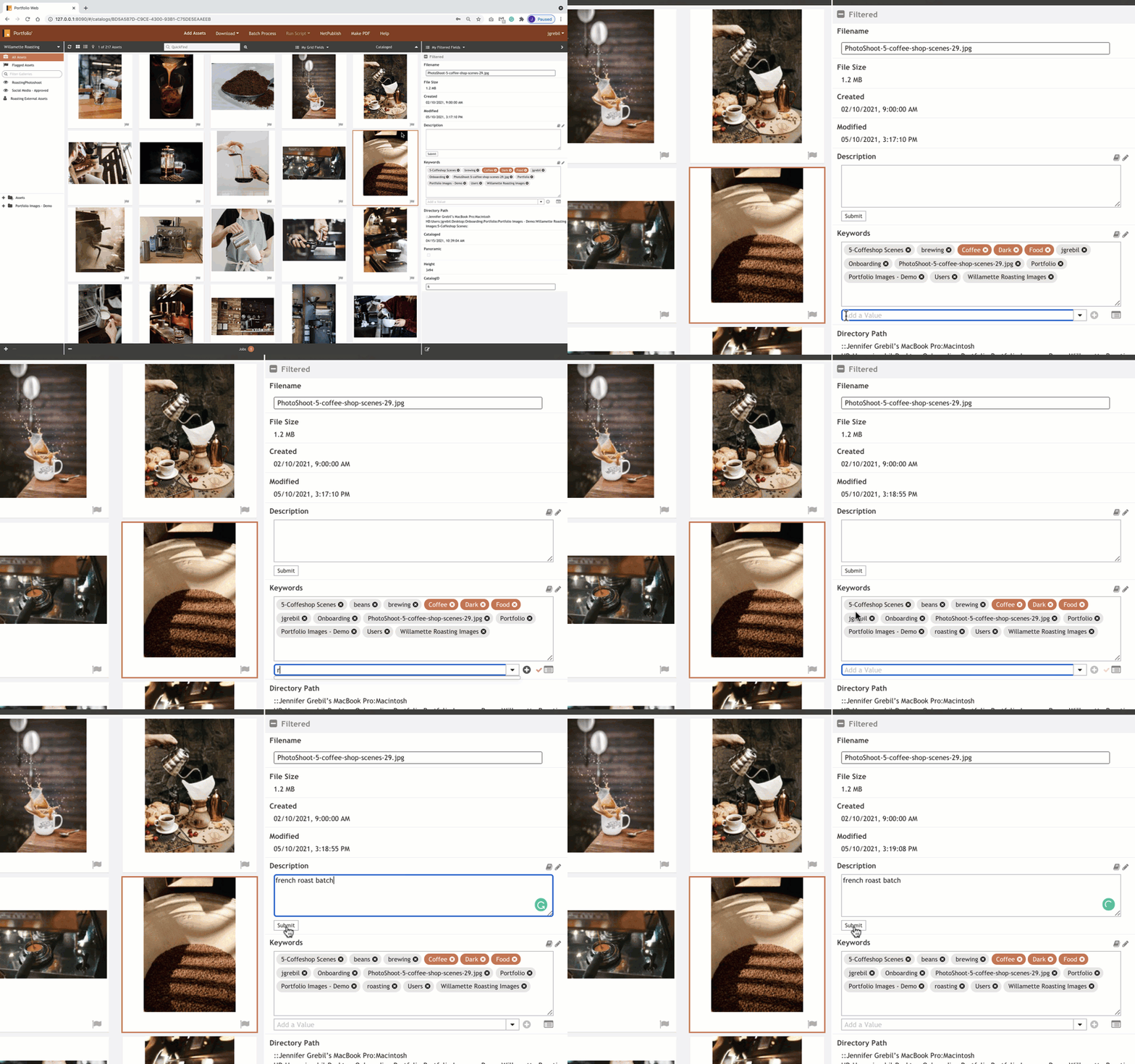
MetadataEnhanceAssets.gif


1. Select one or more of your assets.

2. Click the caret icon to open the Field Panel.

3. You can add or change most attributes in the Field Panel such as file name, description, custom keywords, smart keywords, etc.

4. Changes are automatically applied and saved.


    • Related Articles

    • Organization with Smart Galleries

      Objective: Use Smart Galleries to enhance organization Smart Galleries are powered by saving an Advanced Find search query. A Smart Gallery dynamically shows you all the assets that match the underlying search criteria. When an asset is added to the ...
    • Showcase your Metadata

      Objective: Focus your view on the metadata that matters Be in control and expose as much or as little metadata as you like within the main Preview Window or the Fields Panel. Preview Window If you’re a visual person who likes to see your assets and ...
    • Configure Metadata to Support Your Workflow

      Objective: Let Portfolio support your organization by creating custom metadata fields Portfolio supports hundreds of standard metadata fields, including EXIF, IPTC, Movie, MS Office, Geo, and XMP. You can also create custom metadata fields pertinent ...
    • Field Panel Overview

      Objective: Learn the metadata Field Panel You’ll probably be adding keywords and custom metadata to assets. The Portfolio Fields Panel allows you to visualize your metadata and tags. Get familiar with understanding the panel interface and ...
    • Advanced Searching

      Objective: Find that needle in the haystack Now you’ve learned about tagging assets with metadata, take searching and finding your assets to the next level with advanced searching. Advanced Find For power searches, you can string together multiple ...